
MovieBox APK

✅ Security Verified
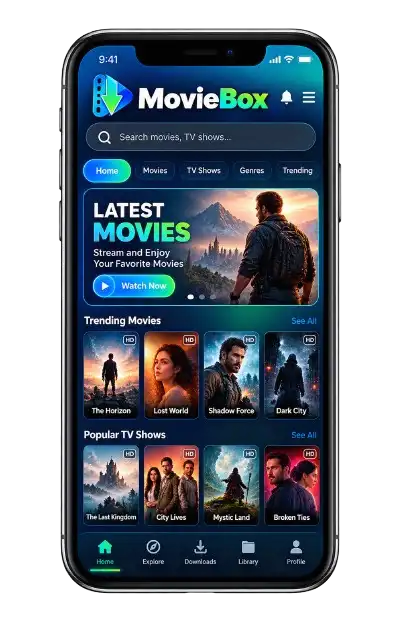
MovieBox
MovieBox is an entertainment software application. It is intended for individuals who love watching movies and TV series. This app presents a straightforward method of accessing various forms of video content. The application allows users to browse different kinds of entertainment. They can discover some titles that match their preferences. It is rich in content. Individuals can access movies produced in different countries or even different regions. There is a selection of films, depending on their genres. This includes action, comedy, drama, romance, thriller, adventure, horror, and family movies. The app offers details of the movies and series available. Before selecting a movie to watch, users are able to look up the titles. They are provided with information such as the title, the genre, and the year it was released.
Overview of the MovieBox App
Moreover, MovieBox APK Download has a user-friendly interface. Major categories are usually understandable. It is quite easy for a user to switch from one category to another. The clear design is helpful when using the platform. New users might easily get accustomed to the basic operations on the website. Another advantage is search. Users can find a particular movie or a TV show by typing its title. It might be useful if a person knows what he or she wants to watch. Categories are another option for discovering new content. There can be special sections that contain popular or newly uploaded movies. It is helpful for a user to discover new content. This is also helpful for someone who does not feel like searching for each title.
What is the MovieBox APK
The MovieBox APK is helpful for people who like to entertain themselves on mobile. Watching movies or TV shows on a mobile device is comfortable enough. People are able to view movies or shows when they have some leisure time. Usually, a good internet connection is required for proper streaming. Different kinds of playback controls could be available in the app. They will allow users to regulate their viewing experience. There can be such options as play, pause, volume control, and full-screen mode. It makes the process of watching much easier. One application offers users different types of entertainment at once. Instead of looking through all the categories separately. People will be able to watch movies and shows within one interface.
How to Use the MovieBox Mod APK
Why Choose the MovieBox TV App
Explore a Wide Content Library
The MovieBox Mod Version gives you many movies and shows to explore. You can look through different types of content in one place. The app helps you find titles for different moods and tastes. You can check new movies, popular shows, and other choices. This wide range gives you more options when you want something fun to watch.
Find Movies Without Hassle
It is easy to find movies and shows. You can type a title in the search bar. The app then helps you find matching results. You do not need to check every section by hand. This saves time when you already know what you want to watch. The simple search tool also helps new users.
Enjoy a Simple Interface
The app has a simple and clean layout. The main sections are easy to find. You can move through the app without much effort. Movies, shows, and search tools are placed in clear areas. This makes the app easy for new users. You can learn the basic controls quickly and start using the app without confusion.
Watch With Flexible Options
Users get more than one way to watch selected content in the Moviebox App. Some titles may offer different video quality choices. You can pick a quality that suits your internet speed. Subtitles may also be available for some titles. These options can make watching more comfortable. You can check the available choices before starting a movie or show.
Discover New Entertainment
The app can help you find new movies and shows. You can browse different sections when you do not know what to watch. The app gives you many titles to check. You may find content from different genres and styles. This makes it easier to try something new and keep your watch time more interesting.
Comparison of the MovieBox App with Other Streaming Apps
Alternatives to the MovieBox APK Pure
Bee TV
Bee TV is a simple and lightweight streaming app. It lets users browse different types of content with ease. The clean layout makes searching and watching more convenient.
NetMirror
Another app recommended is NetMirror. No subscription fee is required to enjoy the content. Many users have started using this app all over the world. Users can watch movies and shows. Many different types of content are available. The content is organized in categories.
Cinema HD
Cinema HD provides movies and shows in clear HD quality. Alternatives to MovieBox also support subtitles in several languages. Users can browse its library and choose content that matches their interests.
OnStream
OnStream has a large collection of movies and shows. Its simple design makes browsing easy. Users can quickly search for their favorite titles and find new content. The app also offers various content categories for different interests.
Stremio
Stremio regularly adds and updates content for users. Moviebox App Alternatives also supports high-quality streaming, including 4K. Its organized layout helps viewers find movies, shows, and other entertainment quickly.
StreamFlix
StreamFlix gives viewers an option to download content for later viewing. It also includes content in different languages. Users can browse the library and choose shows or movies they enjoy.
MovieBox for Android
The app is also available on Android phones. To install the app on Android phones, follow these steps. There is a simple guideline that needs to be followed. The guideline will help you install the app on your phone. Downloading the MovieBox APK for Android phones is very simple. Once the app is installed, it can be used for downloading and watching movies.
MovieBox for iOS
To download the MovieBox App for iOS. Users have to download it from our website. Once installed, users can browse movies, TV dramas, and web series directly. It is always recommended to download apps from trustworthy websites. The app’s mobile-friendly interface ensures easy navigation. It can be installed on your device only using the Troll Store.
MovieBox for PC
Also, the MovieBOX Application for PC is accessible from our website. There are users who prefer to watch video clips on large screens, such as PCs. In order to run this app on the PC, the user will need to install an emulator. The most appropriate emulator is the BlueStacks emulator. It is always important that you download the app from trustworthy websites. Find and install the app in the emulator, then start enjoying the videos freely in the app.
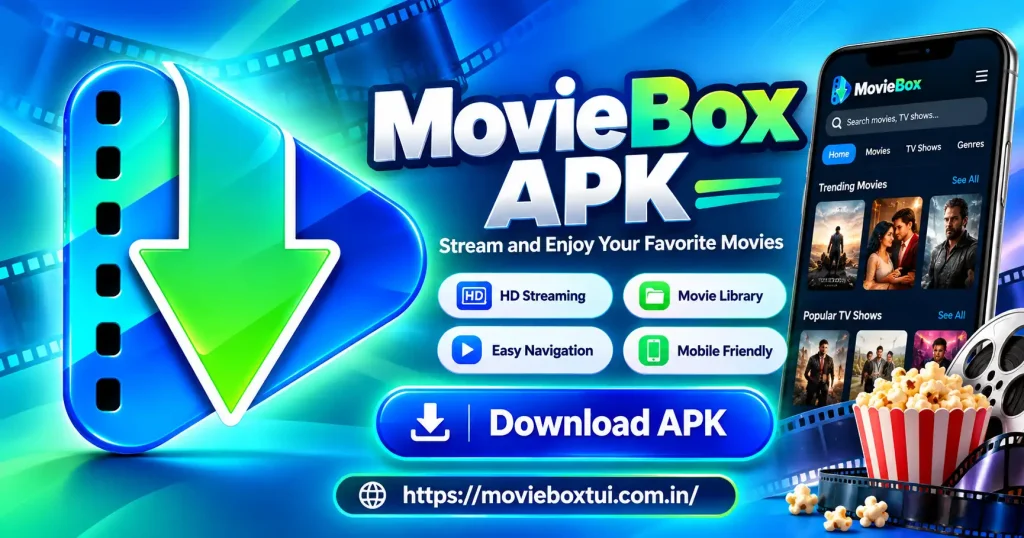
Features of the MovieBox Application
Large Movie Library
The collection can include different genres, stories, and styles in MovieBox Online. You can look through the available movies when you want something new. Having many choices also makes it easier to find a title that fits your mood. Whether you enjoy action, comedy, drama, or other genres. You can check the library for suitable options. Users get more content to discover.
TV Shows Collection
The app also brings TV shows into the same entertainment space. Users can explore different series and check the available episodes before watching. The collection may include shows from several genres. This gives you more choices for your free time. You can switch between movies and shows whenever you want a change.
Simple Search Tool
Finding a specific title becomes easier with the built-in search tool. Just enter the movie or show name in the search bar to look for matching results. This saves you from scrolling through long lists. The feature is useful when you already know what you want to watch. It can also help you find content by entering part of a title.
Easy Category Browsing
Different categories help organize the content inside the Moviebox Pro. You can open a section and explore titles that share a similar type or theme. This method works well when you do not have a particular movie in mind. Instead of searching for one title, you can look through a full group of choices. Clear categories also make the app easier to understand.
Built-In Video Player
Watching content directly inside the app is possible through its built-in video player. Once you select a supported title, playback can begin from the same screen. Basic controls let you pause, play, or move through the video. You do not need to switch between different apps for normal playback. It also gives users a simple way to control their movie or show while watching.
Multiple Video Quality Options
Different video quality choices can give viewers more control over playback. Depending on the selected title, it provides several quality levels. A lower setting can be useful with a slower connection. A higher setting may give a clearer picture. The available options can vary between titles. Users can check these choices before watching. And select one that fits their connection.
Subtitle Support
Reading subtitles can make many movies and shows easier to follow. The MovieBox APK Online may offer subtitle options for selected content. They can help when a character speaks quietly or when the movie uses another language. Subtitle choices may differ from one title to another. If an option is available, users can select it while watching.
Simple User Interface
A clean layout makes the app easier to use for everyday browsing. The main tools and sections are arranged in a way that is easy to understand. You can search for content and open categories. Users can select titles without dealing with a complex menu. New users can learn the basic controls quickly. The simple design also keeps attention on the available content.
Quick Content Discovery
When you are unsure what to watch, it can help you explore different choices. Browsing through categories gives you a quick way to find unfamiliar titles. You can check various genres and see what catches your attention. This removes the need to search for every movie separately. Exploring new content can also add variety to your viewing habits.
Watchlist Support
Saving interesting titles can make future browsing easier. Some versions of MovieBox MOD may include a watchlist. Users can keep movies or shows they want to see later. This means you do not have to search for the same title again. A saved list can also help you remember content you found while browsing.
Genre-Based Content
Action, comedy, drama, romance, and other genres. Users can find content that matches their mood. The app may group titles by these types to make browsing more focused. If you enjoy a certain kind of story, opening its genre can give you several choices at once. This approach reduces the time spent looking through unrelated titles.
Playback Controls
Basic playback controls help users manage their viewing with ease. You can pause a movie when you need a break and continue when you are ready. Moving forward or going back also helps you reach a specific part of the video. These tools are useful during both short and long viewing sessions. This keeps the watching process smooth and easy to manage.
Movie Details Section
Before watching a title, users can check information in the MovieBox app. You can see it in the movie details section. This area can help you learn more about the selected content. Details may include information related to the movie or show. Reading this information can help you decide whether the title matches your interests.
Regular Content Updates
Depending on the version and content source. The library may receive updates with additional movies or shows. Fresh titles can add more variety to the available collection. Users can browse the app from time to time to see what has changed. Update schedules may differ, so new content is not guaranteed at a fixed time. Still, updates can keep the library interesting.
Pros & Cons
Pros
Cons
FAQs
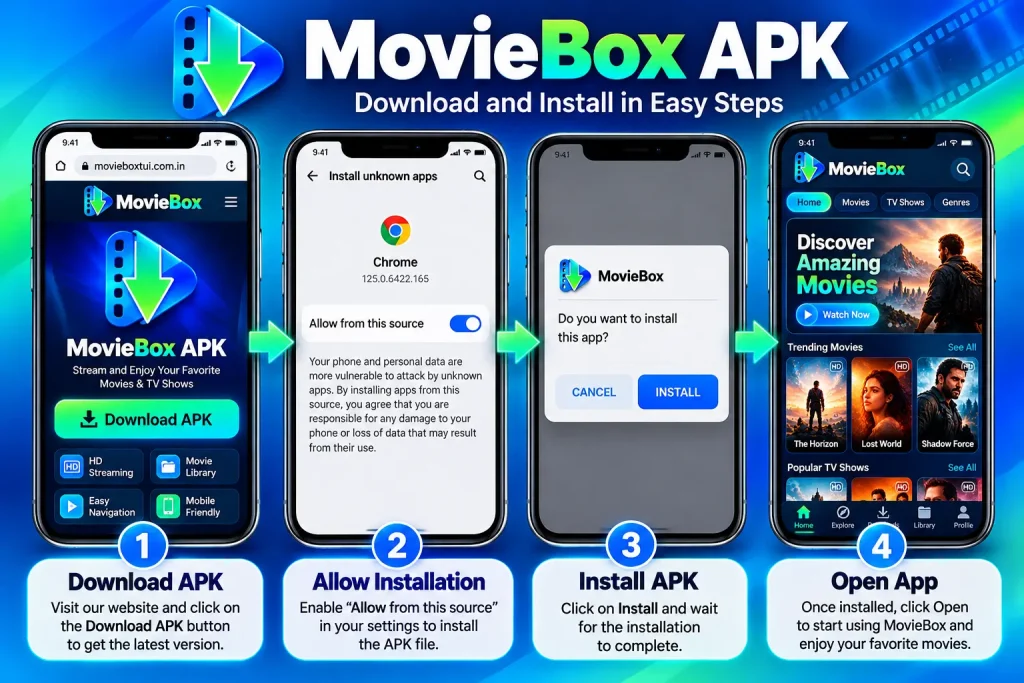
How to Download and Install the MovieBox App Latest Version
This is an entertainment application. Users can enjoy browsing movies and TV shows for free. They get a simple way to explore different titles and genres. The app may include many useful tools. These include search, subtitles, playback controls, and video quality options. Its simple layout makes finding content easier for new users. To download the app, follow these instructions. This will help you install the app and watch your favorite content on your devices.
Conclusion
To conclude, the MovieBox Latest Version is a fun app designed for entertainment. It provides users with numerous ways to find something interesting to watch. The interface of the app is simple. Browsing becomes easy and comfortable. The app allows users to check out various genres and search for their favorites. Popular categories will help viewers find something new. Playback controls will provide convenience in watching. It is useful for people who like entertaining themselves in their spare time. The simplicity of the app’s design allows it to be used easily. Users have numerous content options to choose from and browse. It is an easy way to find something interesting. The app provides numerous opportunities to do this easily and conveniently. It is necessary for users to find a version of the content and application that is safe.